Conan Exiles server guide
Short answer: Set Server Name, Server Password and Admin Password on Startup, then start the server. Players find it in the in-game server list by name or connect directly with your address. In game, type MakeMeAdmin <admin password> in the console to become an admin.
Before you begin
Section titled “Before you begin”- You need: Conan Exiles on Steam.
- If you’re new to the panel, read Your first 15 minutes: from order to playing first.
Server facts
Section titled “Server facts”| Versions we offer | Conan Exiles (Enhanced) (default) · Conan Exiles |
| Backups keep | /ConanSandbox/Saved/ |
Conan Exiles (Enhanced)
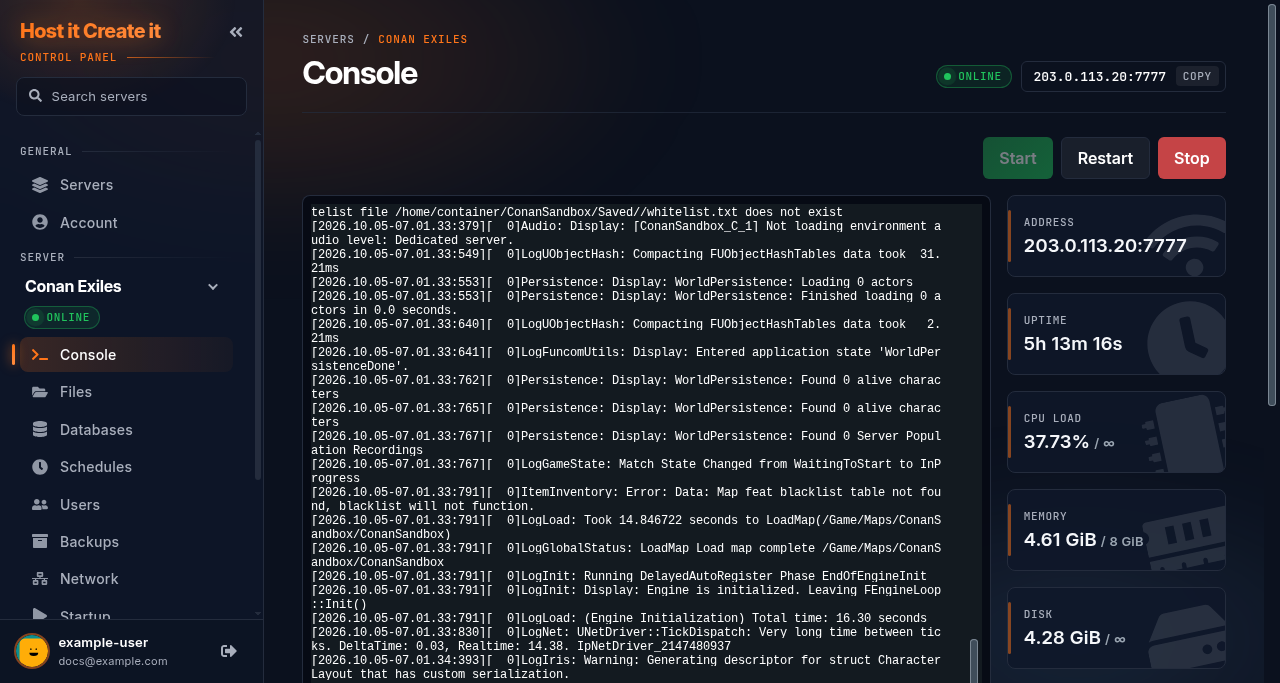
Section titled “Conan Exiles (Enhanced)”| Ready when the console shows | [2026.10.05-07.01.34:430][ 0]SourceServerQueries: Warning: Started SourceServerQueries on port 37857 |
| Stop command | sent automatically by Stop |
| Extra ports | Query Port (an extra port on Network) |
| Mods page | Steam Workshop: downloaded and switched on in the game config |
| Game Settings page | Yes: Server settings (22 settings) |
| Tested in our lab | 2026-10-05: installed (4.6 GB), reached its ready message |
Settings the panel rewrites at every start
Section titled “Settings the panel rewrites at every start”Change these on Startup, not in the file: the panel writes them into the file each time the server starts.
ConanSandbox/Saved/Config/LinuxServer/ServerSettings.ini:ServerSettings.AdminPasswordConanSandbox/Saved/Config/LinuxServer/Game.ini:RconPlugin.RconEnabled,RconPlugin.RconPassword,RconPlugin.RconPort
Startup settings
Section titled “Startup settings”| Setting | You can change it | Default |
|---|---|---|
| Query Port | No | 27015 |
| Max Players | Yes | 10 |
| Mod IDs | Yes | (empty) |
| Auto Update Mods | Yes | 1 |
| Auto Update Server | Yes | 1 |
| Rcon Port | No | (empty) |
| Enable/Disable RCON | Yes | 0 |
| Server Name | Yes | Conan Server - hostitcreateit.com |
| Server Password | Yes | (empty) |
| Admin Password | Yes | (empty) |
| Rcon Password | Yes | (empty) |
Conan Exiles
Section titled “Conan Exiles”| Ready when the console shows | Started SourceServerQueries |
| Stop command | ^^C (sent by Stop) |
| Extra ports | Query Port (an extra port on Network) |
| Mods page | Steam Workshop: downloaded and switched on in the game config |
| Game Settings page | Yes: Server settings (22 settings) |
| Tested in our lab | 2026-10-04: installed (6.3 GB), did not reach its ready message |
Startup settings
Section titled “Startup settings”| Setting | You can change it | Default |
|---|---|---|
| Auto Update | Yes | 1 |
| Query Port | No | 27015 |
| Server Name | Yes | Conan Server - hostitcreateit.com |
| Server Password | Yes | (empty) |
| Rcon port | No | 25575 |
Quick start
Section titled “Quick start”- On Startup, change Server Name to your own (new servers start as
Conan Server - hostitcreateit.com), and set Server Password if you want a private server. - Set Admin Password to a long password only admins know.
- Select Start and wait for
Started SourceServerQueriesin the console. - In Conan Exiles: Online Play, then search for your server’s name, or use Direct Connect with your address.
Admins
Section titled “Admins”- Join the server.
- Open the in-game console (usually the key below Esc) and type
MakeMeAdmin <your admin password>. - You now have admin tools in the game’s admin panel.
The Admin Password on Startup is written into ServerSettings.ini at every start, so change it there, not in the file.
Settings
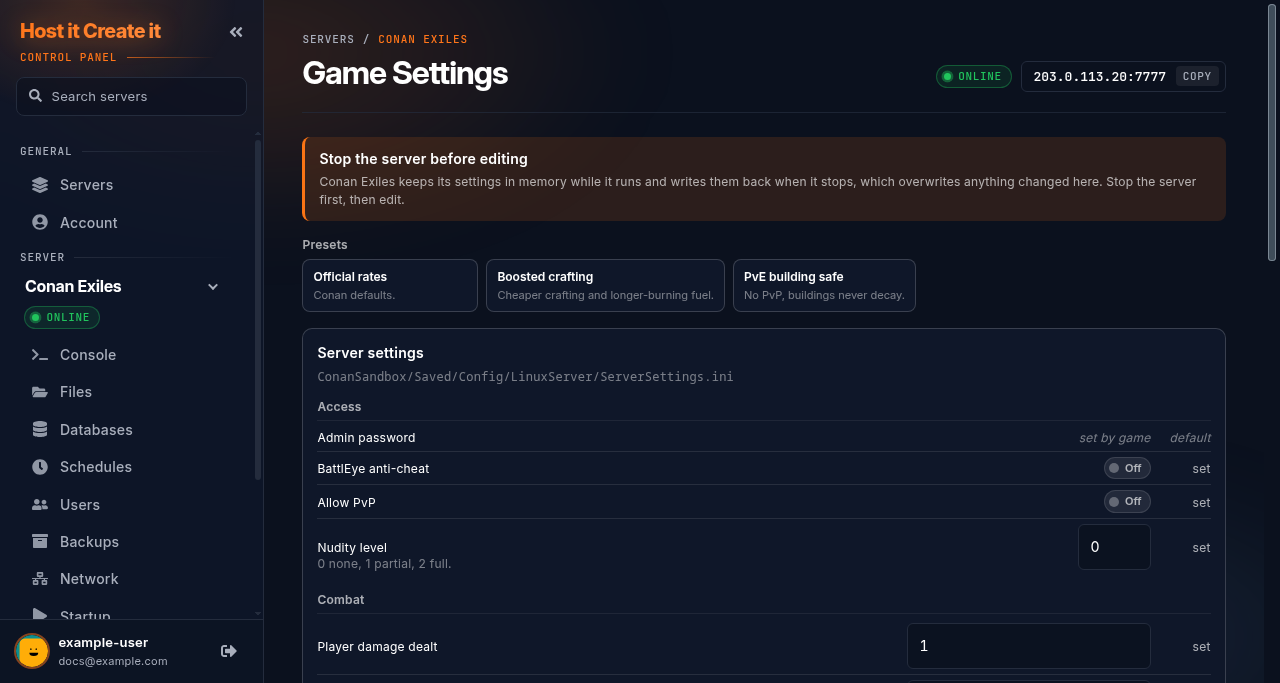
Section titled “Settings”The Game Settings page edits ConanSandbox/Saved/Config/LinuxServer/ServerSettings.ini with menus: PvP, damage, harvesting, experience and more. Restart after saving.
To edit the file by hand, stop the server first. Leave AdminPassword alone (it comes from Startup), and the RCON lines in Game.ini too: those come from Enable/Disable RCON and Rcon Password on Startup.
The world database and settings are in ConanSandbox/Saved/. Backups keep that folder.
- The Mods page installs Steam Workshop mods and switches them on for you (it updates the server’s mod list). Mods download while the server is stopped, and it stays offline afterwards: start it again when the install finishes.
- Auto Update Mods on Startup keeps installed mods updated at each start.
- Players get the server’s mods automatically from Steam when they join. Load order matters for some mods: check each mod’s page.
See Installing mods from the Mods page.
Restarts and updates
Section titled “Restarts and updates”- Stop shuts the server down cleanly.
- Auto Update Server on Startup is on by default, so a restart installs game updates. After a big update, mods may need updating before the server will start.
Common problems
Section titled “Common problems”| Problem | Cause | Fix |
|---|---|---|
MakeMeAdmin says the password is wrong |
Admin Password changed in the file instead of Startup, or the server wasn’t restarted | Set it on Startup and restart |
| “Mod mismatch” when joining | The player’s mods differ from the server’s | Let Steam finish downloading, or resubscribe to the mods |
| Server won’t start after a game update | A mod hasn’t been updated yet | Remove recent mods; see My server will not start |
| Not in the server list | Still starting, or the list’s filters | Use Direct Connect; see My server is not showing in the game browser |
When to contact support
Section titled “When to contact support”Contact support if the server doesn’t reach Started SourceServerQueries, or nobody can connect with the correct password. Include the console output. See How to contact support with useful diagnostic information.
Related guides
Section titled “Related guides”- Adding your server to your Steam favourites
- Installing mods from the Mods page
- Changing startup settings
- How to create and restore a backup
Last reviewed: 2026-10-05 · Applies to: Game Panel (hici 0.4.2, HiCiTools 3.0.2)