Game Panel and Client Area: which one do I use?
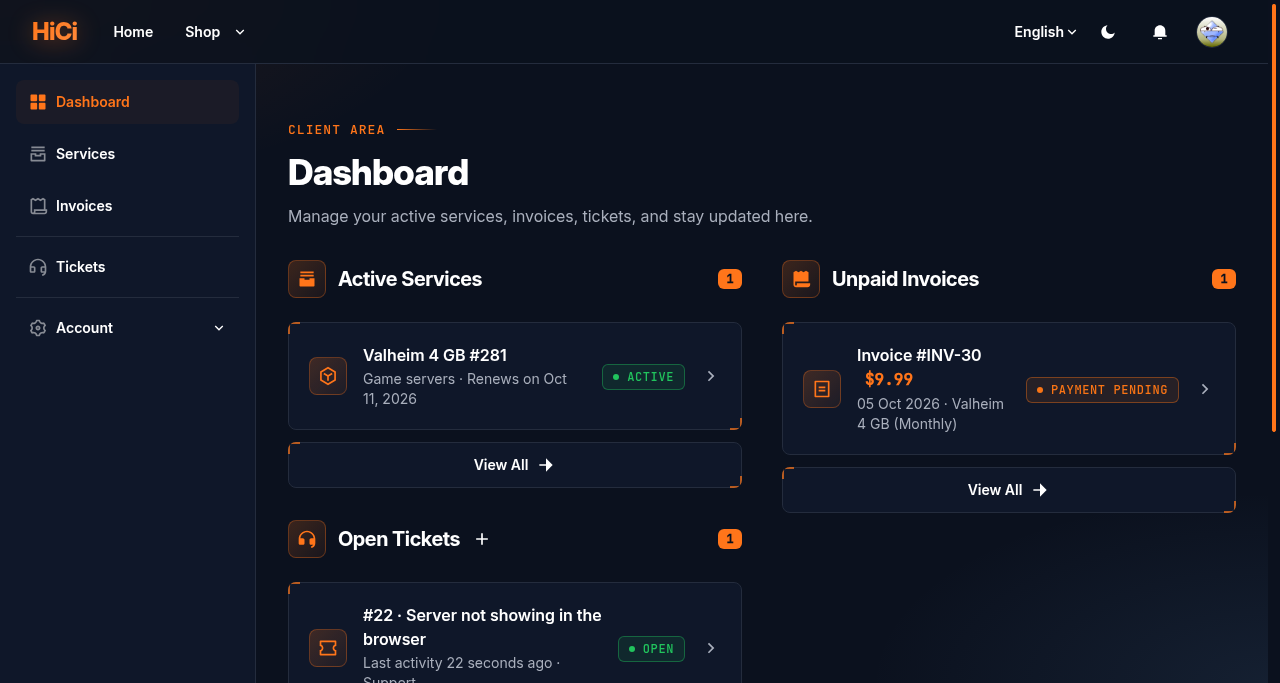
Short answer: Use the Client Area (client.hostitcreateit.com) for anything to do with money and your account: orders, invoices, plans, cancelling, support tickets. Use the Game Panel (panel.hostitcreateit.com) to run your server: start, stop, files, backups, mods and settings. One sign-in works for both.
Before you begin
Section titled “Before you begin”- You need: your Client Area account.
What this guide covers
Section titled “What this guide covers”- What each site does
- How signing in works across both
- Which password is which
Which site for which job
Section titled “Which site for which job”| I want to | Site |
|---|---|
| Order a new server | Client Area |
| Pay or download an invoice | Client Area (or Pay invoice on the Your plan card in the Game Panel) |
| Upgrade or cancel | Client Area |
| Open or reply to a support ticket | Client Area, or Get help on your server in the Game Panel |
| Start, stop or restart the server | Game Panel |
| Edit files, upload a world, use SFTP | Game Panel |
| Create or restore backups | Game Panel |
| Install mods, change game settings | Game Panel |
| Give a friend access to the server | Game Panel (Users) |
The Your plan card on your server’s Console page shows your plan, renewal date and any open invoice, with links to Manage plan and Invoices in the Client Area. Only the server’s owner sees it.
Signing in
Section titled “Signing in”- Client Area: your email address and Client Area password.
- Game Panel: select Sign in with Host It Create It. It uses your Client Area account, so you don’t need a second password for day-to-day use.
Two-step verification is set separately on each site. If you turn it on in the Game Panel, it still applies when you use Sign in with Host It Create It.
Expected result
Section titled “Expected result”You know where to go for each task, and you can sign in to both sites with your Client Area account.
Common mistakes
Section titled “Common mistakes”- Looking for invoices in the Game Panel. Invoices live in the Client Area. The Your plan card links there.
- Using your Client Area password for SFTP. SFTP uses the Game Panel password.
Troubleshooting
Section titled “Troubleshooting”| What you see | What it means | What to do |
|---|---|---|
| “There’s no Panel account for this email yet.” | Your Game Panel account is created with your first server | Wait for your first server to be set up |
| “Connect your Panel account” | You already had a Game Panel account with this email | Enter its Game Panel password once to connect them |
When to contact support
Section titled “When to contact support”Contact support if you can sign in to one site but not the other after following this guide. Say which site and the exact message. See How to contact support with useful diagnostic information.
Related guides
Section titled “Related guides”- How to access your game server in the Game Panel
- How to pay an invoice and what happens if it is late
Last reviewed: 2026-10-05 · Applies to: Client Area (1.5.8) · Game Panel (hici 0.4.2)